The field cockpit for construction
The site manager's app
Manage daily site operations: who does what, where, with what—and report everything without paperwork.
No credit card required • 15-day free trial
Your daily challenges on site
As a site manager, you juggle coordination, tracking, and reporting—often with scattered tools and endless paperwork.
Last-minute crew changes
Absences, weather delays, or urgent task shifts mean you're constantly calling around to reassign workers—and someone always misses the update.
Paper timesheets and reports
Collecting handwritten hours at week's end, deciphering notes, then re-entering everything in the office—it's slow, error-prone, and frustrating.
Fragmented communication
Instructions via SMS, safety docs on email, drawings in WhatsApp—nothing's in one place, and critical info gets buried.
Documents scattered everywhere
Plans, permits, and safety docs live on different phones, in email threads, or locked in the site office—impossible to find when you need them.
Incomplete site reports
Snag photos on your phone, notes in a pocket book—without a structured system, defects slip through the cracks until handover.
No real-time visibility
Your office has no clue who's on site right now, what they're working on, or how many hours have been logged until days later.
One app to run your site, start to finish
Klear gives you a centralised command centre for daily operations—from scheduling and attendance to documents and team chat.
Web + mobile in sync
Plan from the office, track from the field. Changes update instantly on all devices—your crew always sees the latest schedule.
Real-time, paperless tracking
Workers log hours on their phones. You validate with one tap. No more chasing illegible timesheets at week's end.
All docs in one place
Store plans, permits, safety docs, and photos directly on the site. Everyone accesses the latest version from their phone.
Centralised team chat
Every site has its own messaging thread. Share updates, photos, or voice messages—no more hunting through WhatsApp groups.
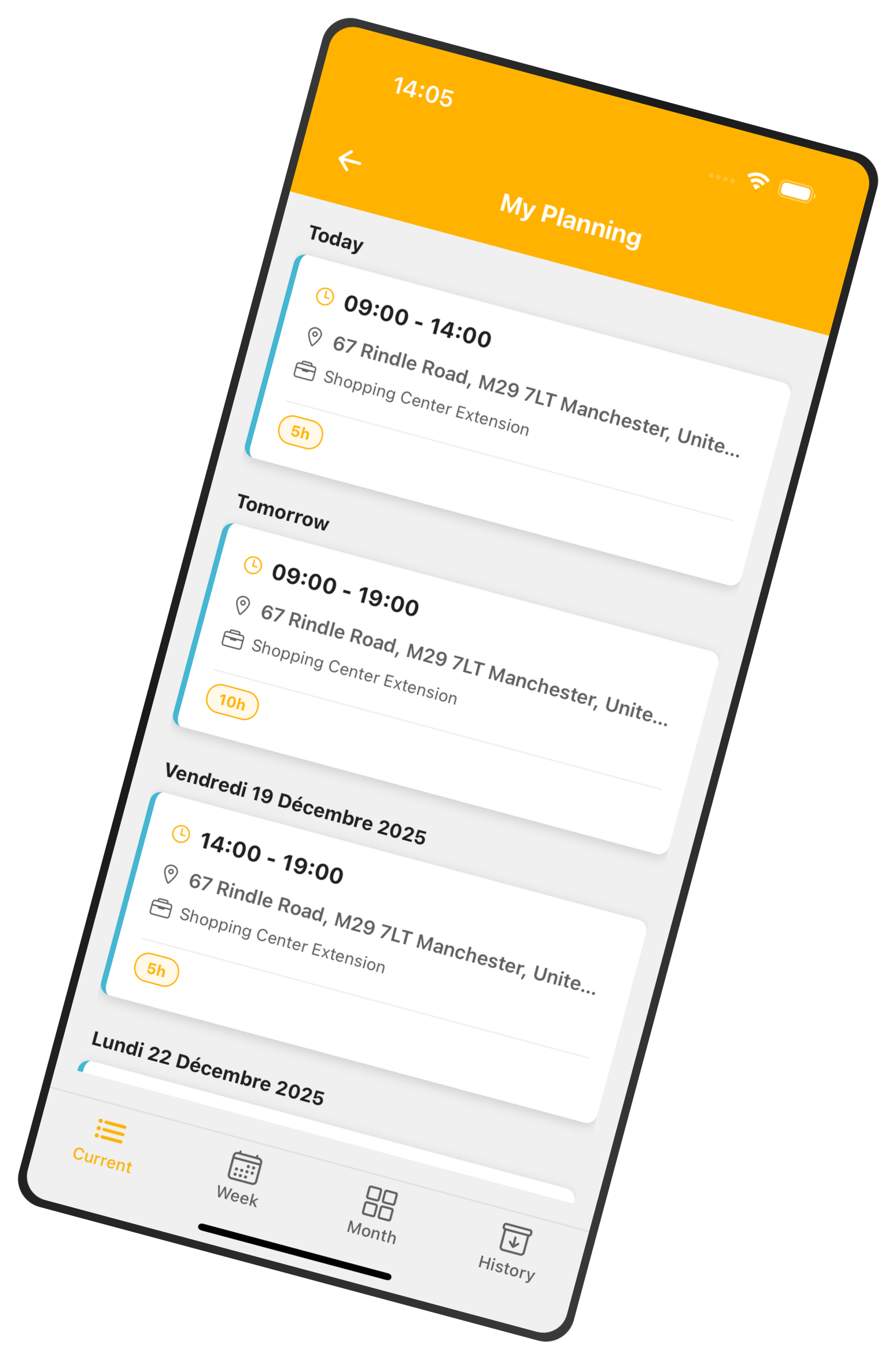
See today's schedule at a glance
The day view shows you exactly who's assigned to which task, with start/end times and any notes. Drag and drop to reassign if plans change—your team gets instant updates on their phones.
Plan by person or by site
Switch between crew view (one row per worker) and site view (one row per location) to match how you think.
Drag & drop reassignment
Absent worker? Weather delay? Simply drag the task to another person or time slot. Everyone sees the change instantly.
Multi-view scheduling
Day, week, Gantt, or full month—pick the view that fits your workflow. Business plan unlocks team-wide planning across all your sites.
Track hours without paper timesheets
Workers log arrival, departure, and breaks directly on their phones. You validate in seconds. Real-time visibility means no surprises at payroll.
Mobile time entry
Workers tap a scheduled task and enter their actual hours. Start and end times pre-fill from the plan—they just adjust if needed and submit.
One-tap validation
Review pending timesheets from your dashboard. Approve or reject with a single click, adding a note if needed. Validated hours export to your payroll system.
Weekly summary & reports
See total hours per worker, per site, or per week. The Reporting tab breaks down regular hours, overtime, night hours, and public holidays—ready for export.
Business plan required for team timesheets. Smart plan users can track their own hours only.
Keep everyone on the same page
Every site has its own chat thread. Share updates, photos, or voice messages in real time—no more digging through WhatsApp groups or email chains.
Photos & files
Snap a progress pic or attach a safety doc—everyone sees it instantly.
Voice messages
Too much to type? Record a quick voice note on mobile—faster than a phone call.
Read receipts
See who's read your message. No more "I never got that" excuses.
Instant notifications
Workers get push alerts on their phones when you post an update. Messages sync in real time across web and mobile—everyone stays in the loop, whether they're in the office or on scaffolding.
Access every plan and permit from the field
Upload drawings, safety docs, permits, and photos to each site. Your crew can view or download them on their phones—no more "it's back at the office."
Drag & drop upload
From the web, drag files into the site's Documents tab. They're instantly available to everyone assigned.
Offline access (mobile)
Download key docs to your phone. View them even without signal—perfect for basements or remote sites.
Organised by site
Each site has its own document library. No more generic folders with hundreds of files from different jobs.
Progress photos
Workers snap photos on site and upload directly. Build a visual record of every stage—useful for disputes or audits.
Frequently asked questions
Can workers create their own timesheets, or must a manager enter them?
By default, workers with the "Ouvrier" (Worker) role can create their own timesheets on the mobile app. They tap a scheduled task, enter actual hours, and submit for validation.
Admins can disable this in Settings → Planning → Timesheets by toggling user_can_create_timesheet. When off, only managers (Site Manager, Works Supervisor, Admin) can create timesheets on behalf of workers. This is useful if you prefer centralised data entry or need tighter control.
Who can approve or reject timesheets?
Super Admins and Admins can validate or reject any timesheet across the company. Site Managers and Works Supervisors can validate timesheets for workers assigned to their sites.
Once validated, a timesheet locks automatically—workers can't edit it. If you reject a timesheet, you must provide a reason; the worker's signature is cleared, and they can correct and resubmit.
What's the difference between a scheduled task and a free task in the planning?
A scheduled task is linked to a specific site (project). It appears in that site's planning, generates timesheet entries, and counts towards site hours.
A free task (also called "unlinked task") has no site attachment. Use it to block time for meetings, training, medical appointments, or admin work. Free tasks show in the worker's personal calendar and in any site they're assigned to (so managers avoid double-booking), but they don't generate timesheets or appear in site reports.
In the calendar, free tasks display in grey with a dashed border to distinguish them from site work.
Ready to manage your sites without the chaos?
Join construction teams already saving hours every week with Klear. Start your free 15-day trial—no credit card required.